
How to mute words on Twitter (Easy Read)
How to mute words on Twitter

If you have an account on Twitter you can mute words that you don’t want to see.
Muting a word means it will stop it showing up when you use Twitter.
You can also mute a phrase if you don’t want to see it.
A phrase is two or more words together.

Muting words on an iPhone
If you are using the Twitter app on an iPhone or iPad you can mute words like this:
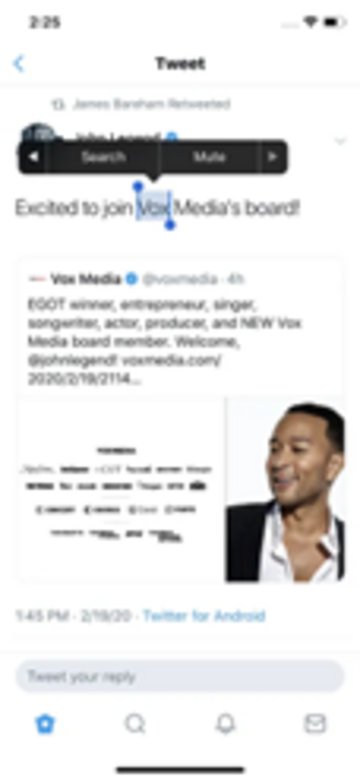
- Press and hold the word you want to mute.
- Press the right arrow on the menu that pops up to scroll across.
- Press 'Mute'.
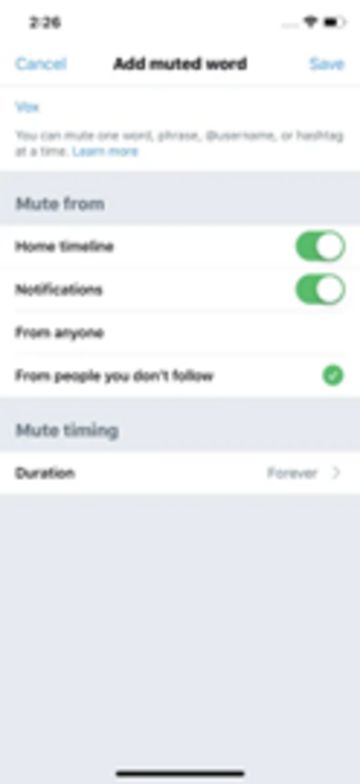
- Then on the next page choose where you want to hide the word or phrase from.

Muting words on Android
If you use the Twitter app on an Android phone or tablet you can mute words like this:
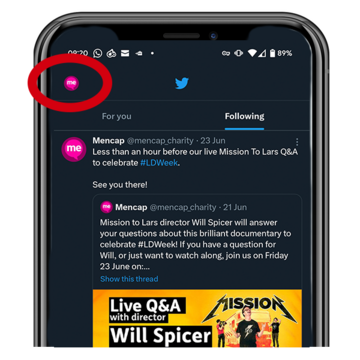
- Press your profile image in the top left corner of the screen.
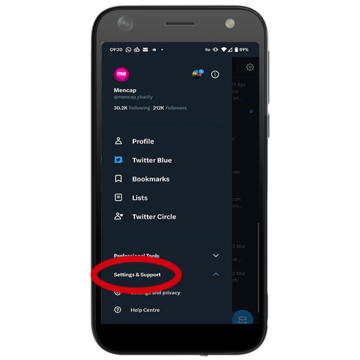
- Press 'Settings & Support'.
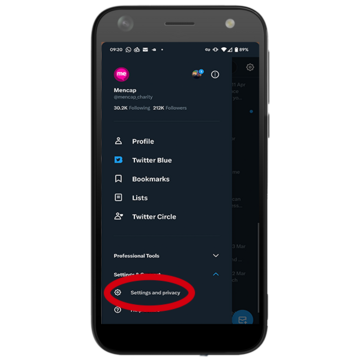
- Press 'Settings and privacy'.
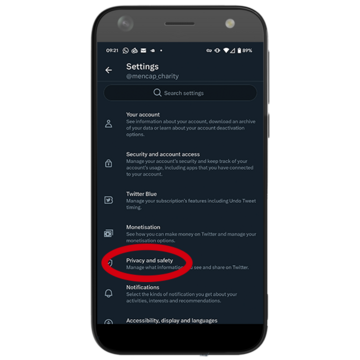
- Then press 'Privacy and safety'.
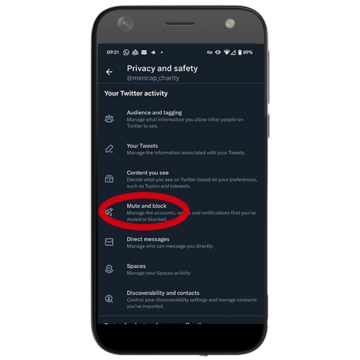
- Then press 'Mute and block'.
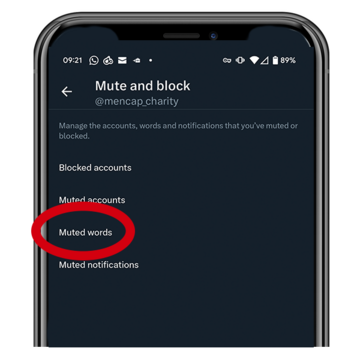
- Then press 'Muted words'.
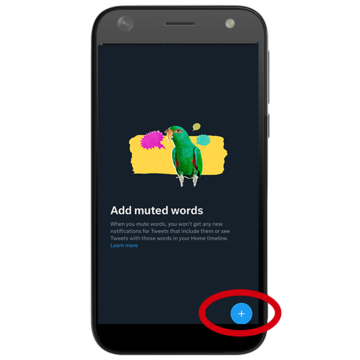
- Then press + in the bottom right corner of the screen.
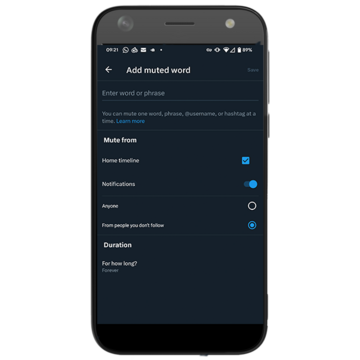
Now you can add words or phrases that you don't want to see and choose where you want to hide them from.

Muting words on a desktop or laptop computer
If you use Twitter on a computer you can mute words like this:
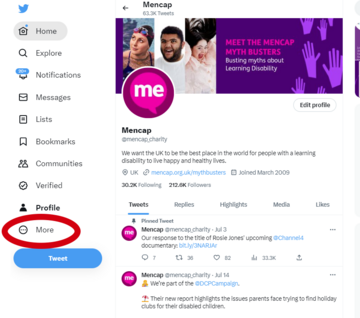
-
Click on the 'More' icon on the left side of the screen.
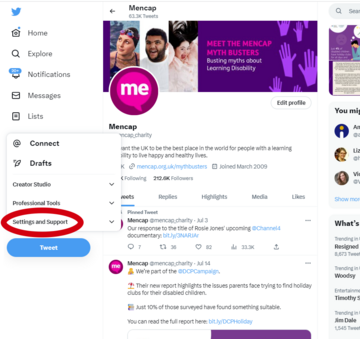
- Then click 'Settings and Support'.
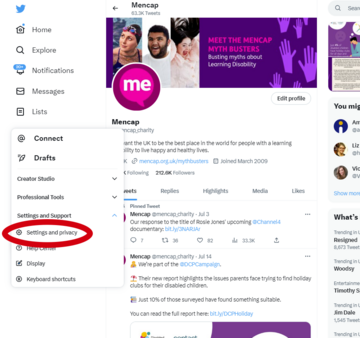
- Then click 'Settings and privacy'.
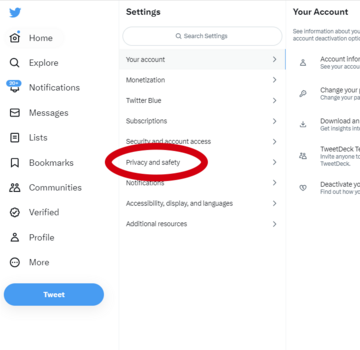
- Then click 'Privacy and safety'.
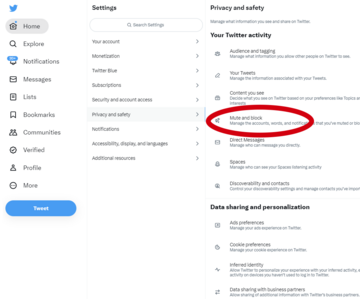
- Then click 'Mute and block'.
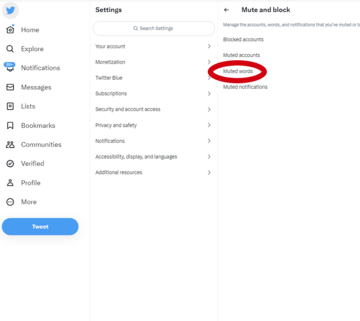
- Then click 'Muted words'.
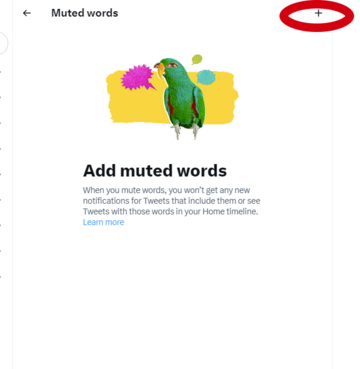
- Click + on the top right of the screen.
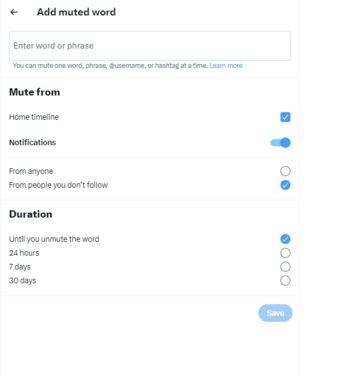
Now you can add words or phrases that you don’t want to see and choose where you want to hide them from.

Reporting a Tweet
If you get a nasty or unkind message or Tweet, you can report it to Twitter.
You can report things if you use a phone, tablet, or computer to look at Twitter in the same way.
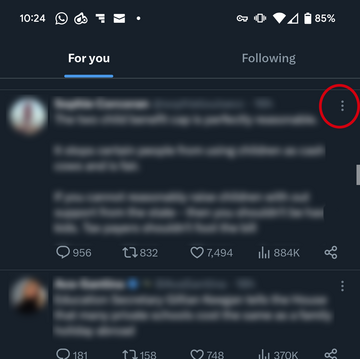
- Find the message or Tweet that you want to report.
- Press the 'More' icon. It looks like three dots next to each other or on top of each other.
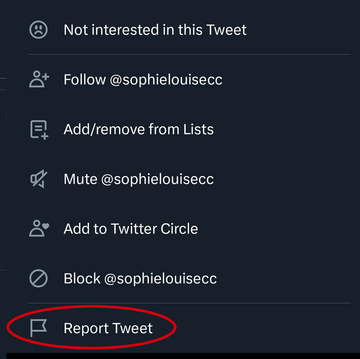
- Select 'Report Tweet'.
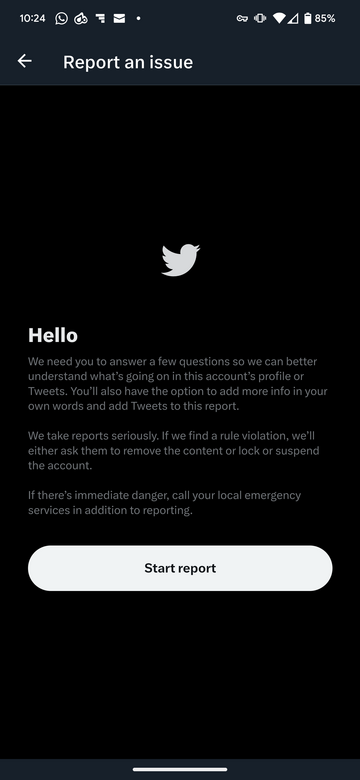
- Then follow the instructions.
You will be asked some questions about why you are making the report.

This Easy Read Easy Read is a way of making written information easier to understand. Pictures are usually added next to the writing. was first published 18/07/2023.
Last updated: 18/07/2023.